
-
Communications
- Earned Media
- Advocacy & Issues Management
- Thought Leadership
- Change Management & Employee Engagement
- Training
- Interim Communications & Marketing Support
-
Creative Services
- Graphic Design
- Brand Identity
- Data Visualization & Infographics
- Creative Campaign Management
- Video Production
- Website Design & Development
-
Crisis & Issues Management
- Online War Room®
- Crisis Preparedness
- Crisis Response
- Reputation Repair
- On-Demand Crisis Consulting
- Media Coaching
- Digital Monitoring & Engagement
-
Marketing
- Paid Media
- Social Media Marketing
- Search Marketing
- Influencer Marketing
- Email Marketing
- Interim Communications and Marketing Support
- Multicultural Marketing




Use a UTM Code to Create Tracking URLs in Social Media Campaigns
Use a UTM Code to Create a Tracking URL
UTM codes are tags you add to the end of a URL that, when clicked, will be tracked in Google Analytics. Adding these UTM parameters allows you to track the effectiveness of various aspects of a campaign, such as the source or medium, and make decisions about how to best drive traffic to your website in the future.Anatomy of a UTM Code
Depending on the complexity of your campaign, you may only need a couple of these codes. Typically, you’ll want to at least include Source, Medium and Campaign Name, but you may pull in Content if running an A/B test or Term if running a paid search campaign.- Source | utm_source
- Required. Used to identify the referrer, such as a search engine (Google), newsletter name (Org eNews), or social platform (Facebook)
- Example: utm_source=twitter
- Medium | utm_medium
- Required. Used to identify the marketing medium or way in which your link was presented or delivered, such as banner ad, sponsored post, email, short URL, link
- Example: utm_medium=tweet20151007 (tweet plus year month date)
- Term | utm_term
- Used for paid search to track the keyword for a given ad in the campaign.
- Example: utm_term=shoes
- Content | utm_content
- Used to differentiate between placements or content or for A/B testing
- Example: utm_term=textlink or utm_term=logolink
- Campaign Name | utm_campaign
- Used to track overall campaign or what you are promoting, such as Fall 2015 Sale or Early Registration Offer
- Example: utm_campaign=fall2015sale
domain.com?utm_source=term&utm_medium=term&utm_content=term&utm_campaign=term
 For ease of tracking, be consistent in how you use the various terms each time, keeping case, tense and word choice the same when using a term across more than one tracking URL. This will be particularly helpful when you use the campaign name consistently, so you can easily see all sessions, regardless of source, related to that campaign all in one place.
Tracking URL Data in Google Analytics
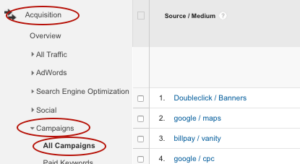 Now, let’s jump over to Google Analytics and actually check out that data. Once logged in, go to:
- Acquisition
- Campaigns
- All Campaigns
- Then set the date range you wish to track